Fan control for macOS

Your Mac runs hot.
You decide how it cools.

Airway puts live temperatures, fan modes, precise speed control, and presets directly in your menu bar. No dashboard left open. No subscription.

7-day free trial · macOS 14+ · ₱122 to keep forever

Built for daily use

Cooling control simplified.

Airway stays out of your way until you need it, then puts every important control within reach.

01

Everything in the menu bar

See temperatures, check live RPM, switch modes, and adjust fan speed without opening another window. Airway keeps the controls you use every day one click away.

02

Three modes.

Leave cooling to macOS in System Mode, choose an exact speed in Manual Mode, or jump to maximum cooling when a heavy workload needs it.

03

Presets included

Save fan configurations for focused work, rendering, gaming, or quiet browsing. Apply them from the menu bar and change them whenever your workflow changes.

04

Automate with Shortcuts

Set a fan mode, check status, or adjust speed through Siri and Apple Shortcuts. Build Airway into the automations you already use on your Mac.

Built for hot climates

Made where heat is not unexpected.

Airway was built by an aspiring developer in the Philippines, where sustained workloads and rooms without air conditioning make thermal management part of everyday work.

It is a focused tool for people who want direct control without buying the same utility again for a desktop and a laptop.

Simple pricing

Try Free, Then Unlock Forever

Use every feature for seven days. If Airway works for your Mac, one small payment keeps it unlocked.

Personal license

Most popular

₱122 one-time

  • 7-day free trial
  • Lifetime access, no subscription
  • Two Macs on one license
  • Every preset and future update

Secure checkout with GCash / Maya via PayMongo. Your key arrives by email. All sales are final. Purchase is subject to the EULA and Privacy Policy.
Showing Philippines pricing.Switch to international checkout

Supported devices

Works With Your Mac

Airway supports macOS 14 and later across Apple Silicon and Intel Macs.

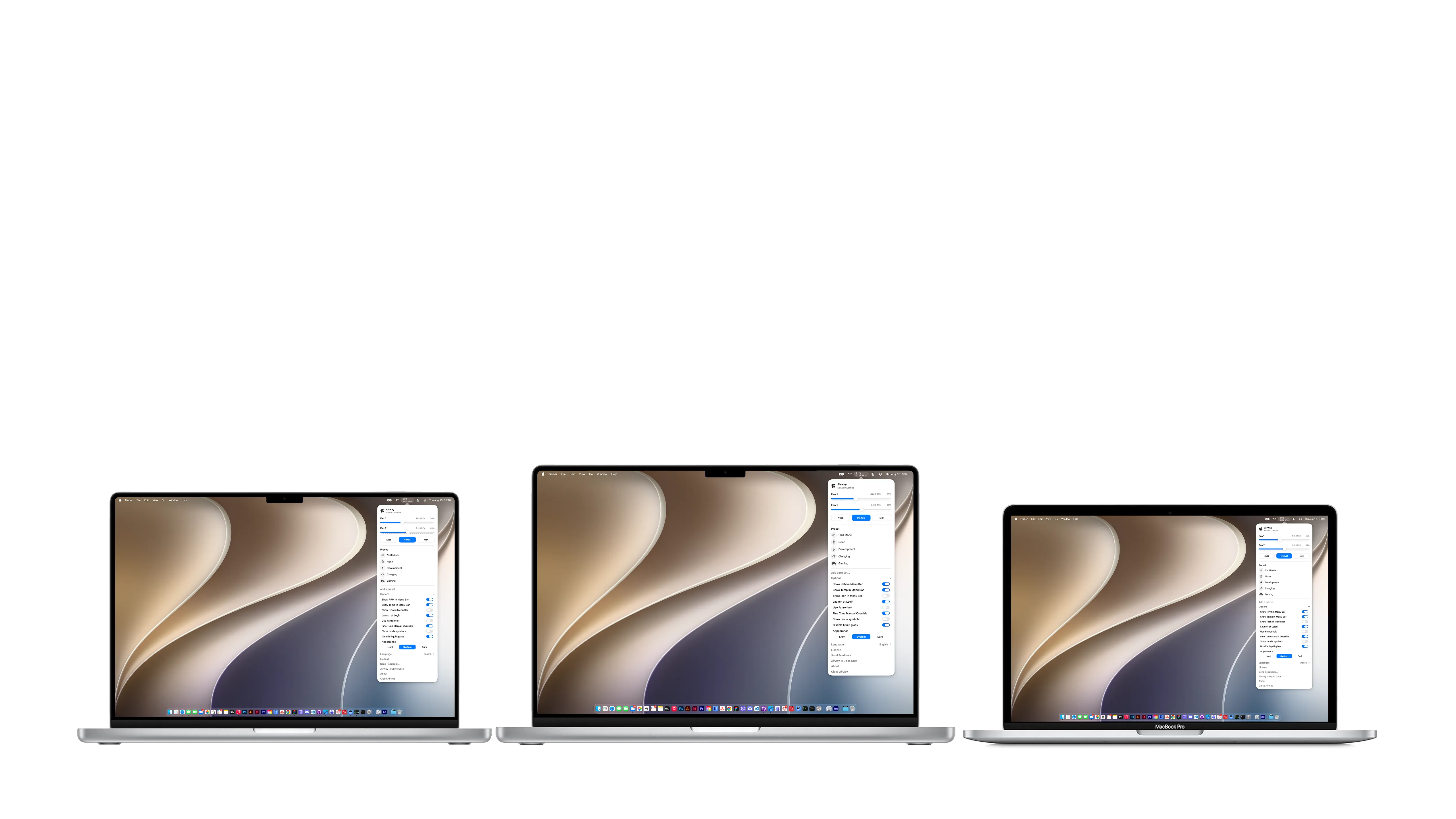
MacBook Pro computers running Airway

MacBook Pro

IntelM1/Pro/MaxM2/Pro/MaxM3/Pro/MaxM4/Pro/MaxM5/Pro/Max
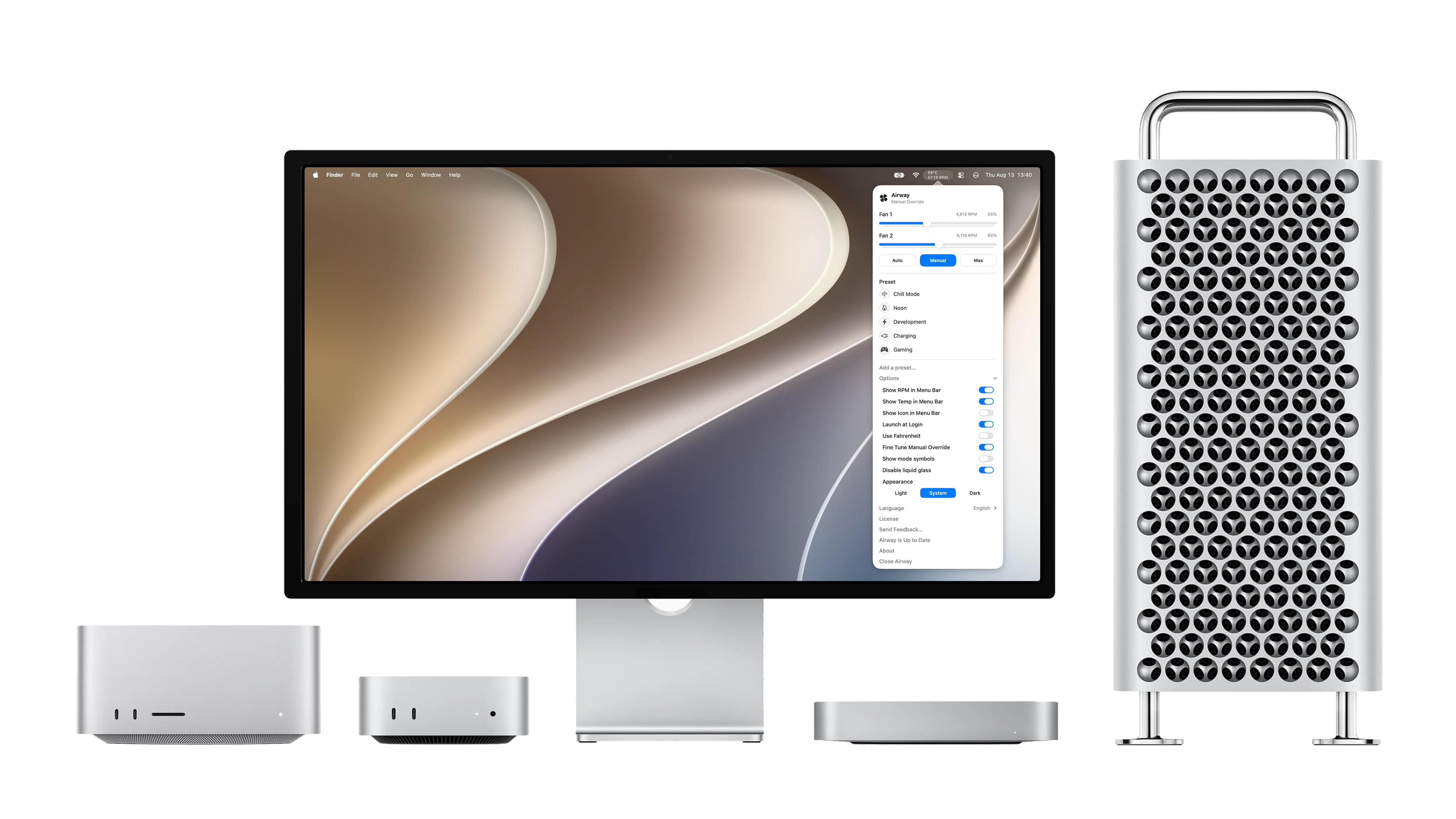
Desktop Macs running Airway

Desktop Macs

IntelMac miniMac StudioMac Pro

Hardware-level fan availability varies by Mac model. Airway degrades gracefully when direct SMC control is unavailable.

Common questions

Everything important, answered directly.

What happens after the seven-day trial?

Airway stays installed, but paid features require a license. A $1.99 one-time purchase unlocks two Macs permanently. There is no subscription.

How do I activate after paying?

Your license key arrives by email. Open Airway's Activate License screen and enter the email used at checkout with that key.

Why is the student license limited to one device?

The one-device cap keeps the honor-system program sustainable. It is an anti-abuse constraint, not a reduced feature set.

Why is Airway not on the App Store?

Fan control requires a privileged helper to communicate with the Mac's System Management Controller. App Store sandboxing does not permit that architecture.

Does Airway work with MacBook Air?

No. MacBook Air models use a fanless design, so there is no internal fan for Airway to control.

Can I change the detected checkout region?

Yes. Use the region switch beneath pricing to choose Philippines or international checkout manually.

Are purchases refundable?

No. All purchases are final and non-refundable except where a refund cannot legally be waived. Use the seven-day free trial to confirm that Airway works for your Mac before paying.

Does Airway cover damage to my Mac?

No. Airway is provided without warranty, and you use its hardware controls at your own risk. Best-effort support is available at jc.antor@icloud.com, but support does not create a warranty or cover device damage.

Airway for macOS

Keep your Mac cool.
Keep your workflow moving.

Start with every feature free for seven days. Unlock two Macs forever for $1.99.

Download Airway freeDownload requires agreement to the EULA and acknowledgment of the Privacy Policy.